


Creating your first calendar in Bookedin
With Bookedin, you can create your own availability calendar in just a few simple steps. This allows you to immediately start managing reservations for your holiday home, camper, boat, or any other rental property.
Follow the steps below to create your first calendar:
Log in to your account
Go to https://app.bookedin.nl/login/ and log in with your credentials. After logging in, you will arrive at your dashboard.
Click on "New Calendar"
In the top left corner of your screen, you will see a blue button labeled "New Calendar". Click on it to start the process.
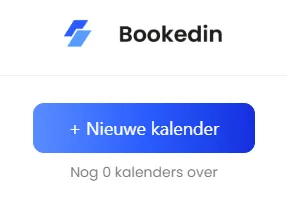
Choose the calendar type
You will be presented with two types of calendars:
- checkHalf days: ideal for properties like holiday homes (where check-in and check-out happen on the same day).
- checkFull days: ideal for rentals like a camper or boat.
Select the type that best fits your situation and click Next.
Give your calendar a name and description
Enter a name and description for your calendar so you can easily identify it later.
- checkExample: Beachside Holiday Home
Then, click Next.
Complete the setup
Click Finish. Your calendar is created instantly, and you will be automatically redirected to your new calendar view. From here, you can further configure and personalize your settings.
All set! Your first calendar is now active and ready for use.