


Receiving reservations on a different email address
With Bookedin, you can have reservations for each individual calendar sent to a specific email address. This is useful if you manage multiple calendars and want to send bookings to different people or departments.
lightbulb
Always ensure you have selected the correct calendar before adjusting the settings. The booking settings are unique to each individual calendar.
1
Log in to your account
- checkGo to https://app.bookedin.nl/login/
- checkEnter your login credentials.
- checkYou will now see the dashboard.
2
Navigate to Booking Settings
- checkIn the menu, click on Plugins > Booking Settings.
- checkYou will see an overview of all settings that are unique to each calendar.
3
Locate the "Receive Reservations" section
- checkScroll down to the heading Receive Reservations.
- checkBy default, this field is filled with the email address you used to create your account.
4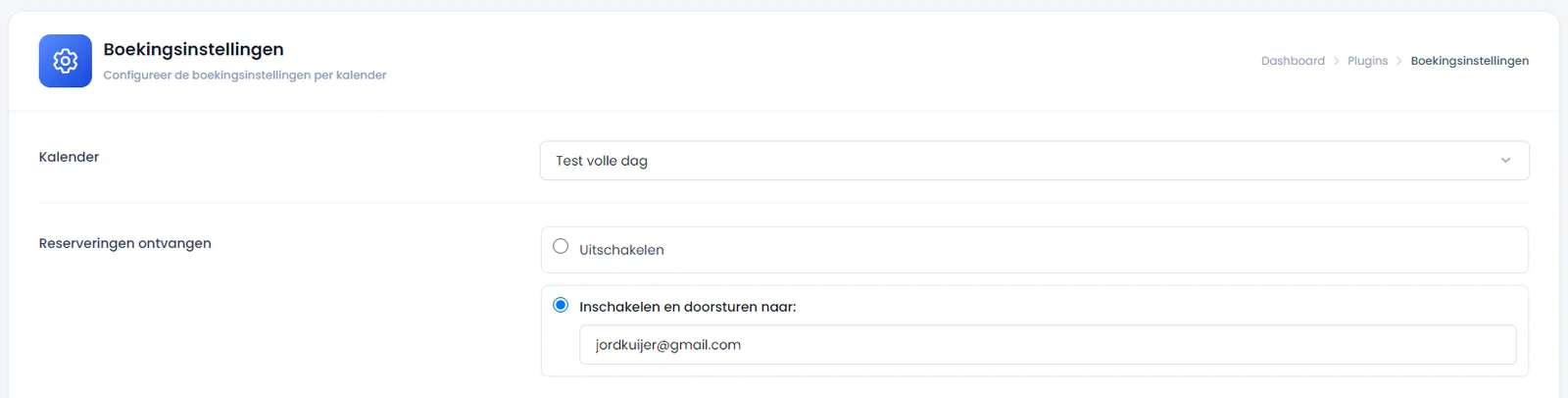
Update the email address
- checkReplace the current email address with the one where you want to receive the reservations. For example, a dedicated email address like
reservations@mywebsite.com.
5
Save Settings
- checkClick the blue button "Save settings" at the bottom of the page.
check_circle
All set! Your reservations will now be sent to the updated email address for this specific calendar.
Was this guide helpful?
Ask support a question